TurboSync Pro connects Canva to ProPresenter for your whole media team. Design once, sync, and it’s ready to present — no downloading, no rebuilding by hand.

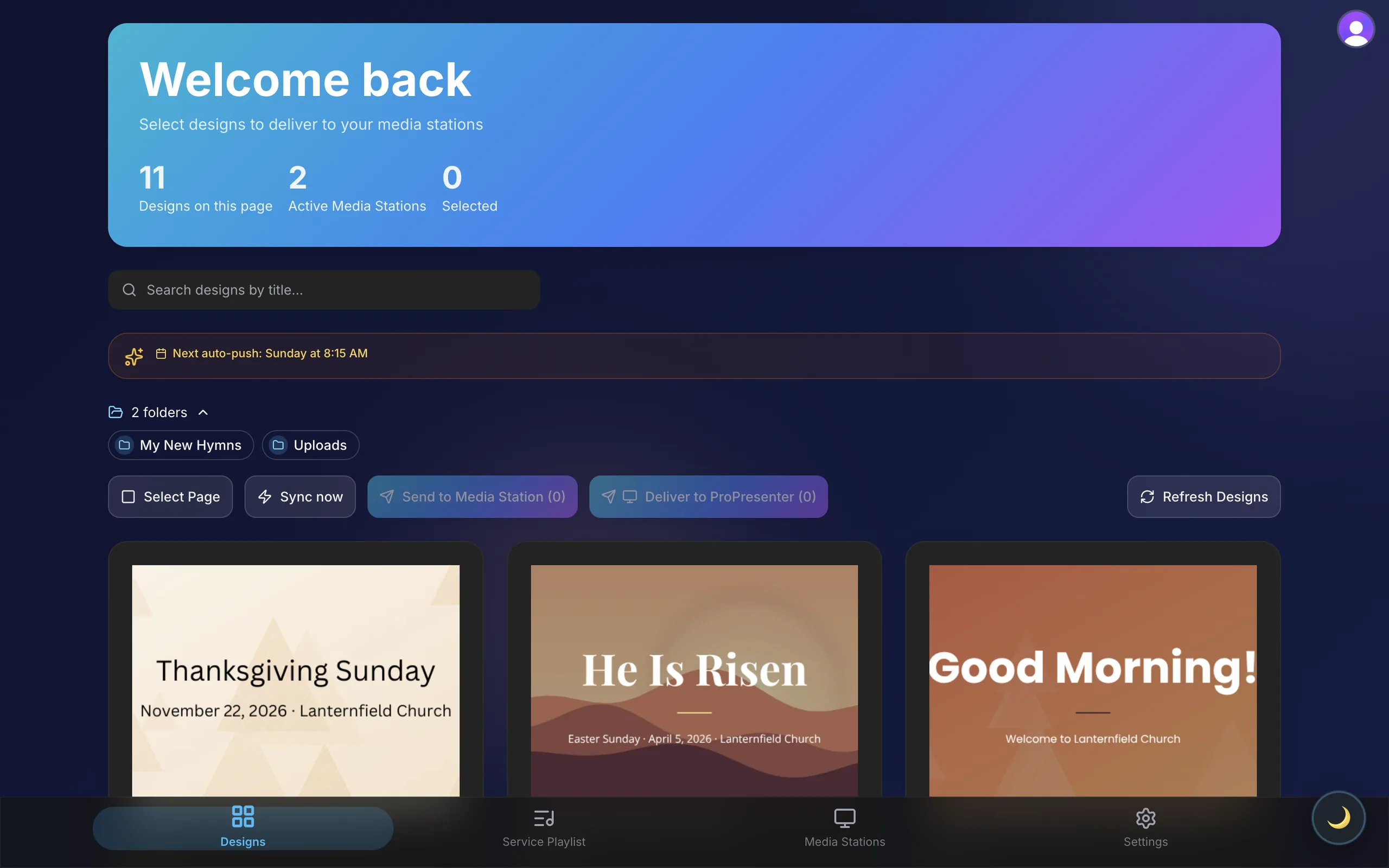
TurboSync Pro dashboard showing a team's Canva presentation designs ready to send to two online Media Stations

From Canva to ProPresenter, without the manual rebuild

Every change used to mean a rebuild.

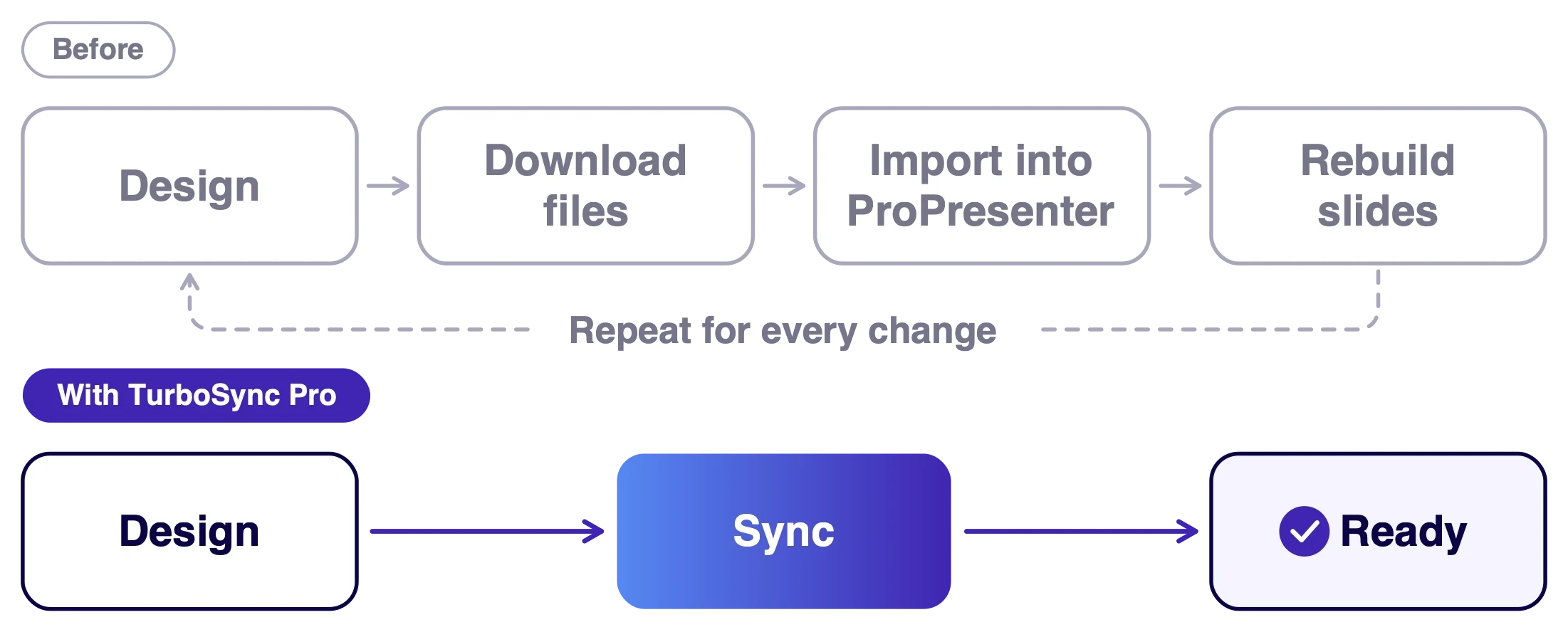
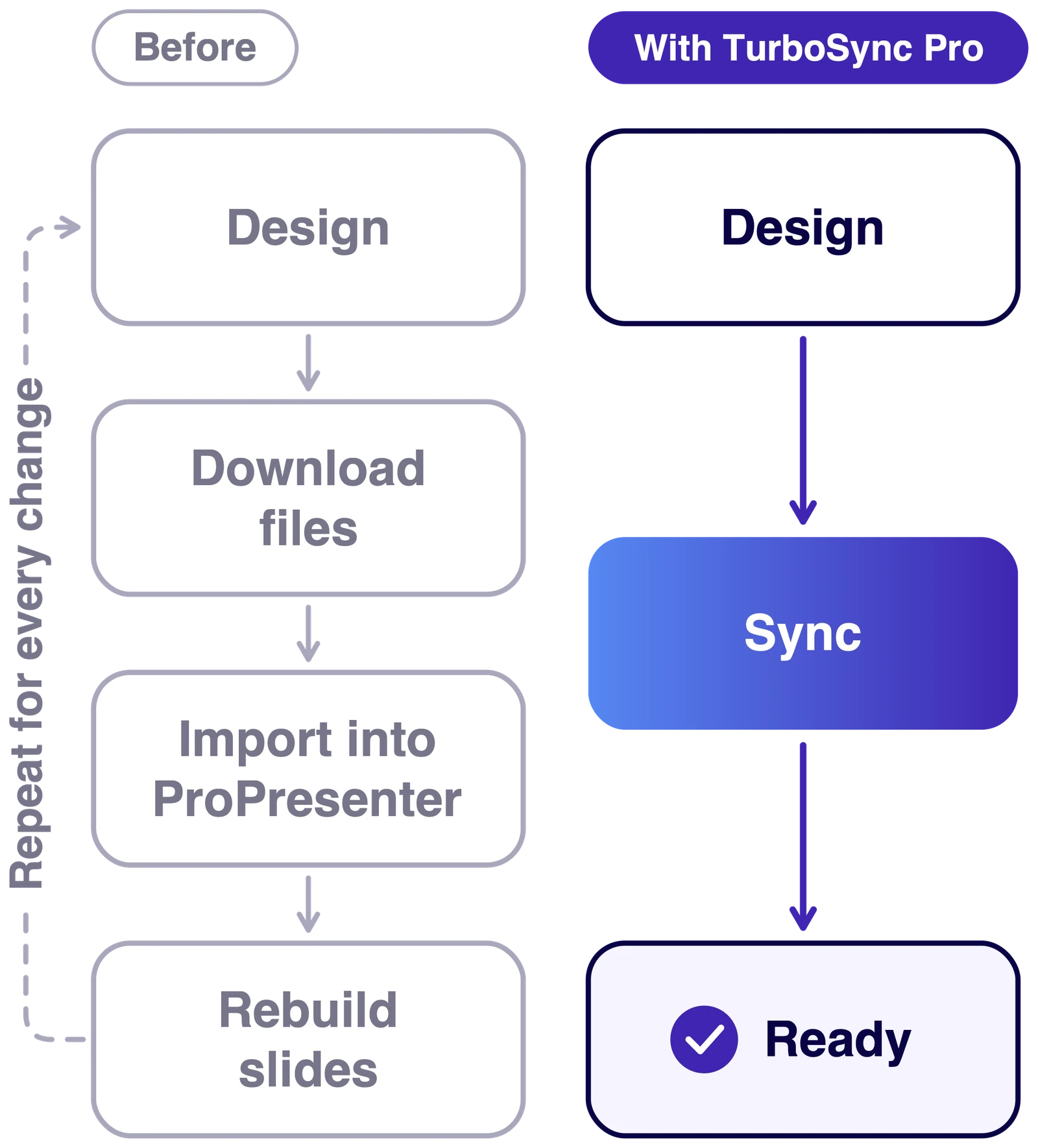
Without TurboSync Pro, the step between Canva and ProPresenter is manual: download the files, import them, rebuild the slides, and do it again after every change, often minutes before a service. With TurboSync Pro, you design, sync, and it’s ready.

Before: design, download files, import into ProPresenter, rebuild slides, and repeat for every change. With TurboSync Pro: design, sync, ready.

Design and sync. The Media Station does the rest.

Nothing to download, import or rebuild.

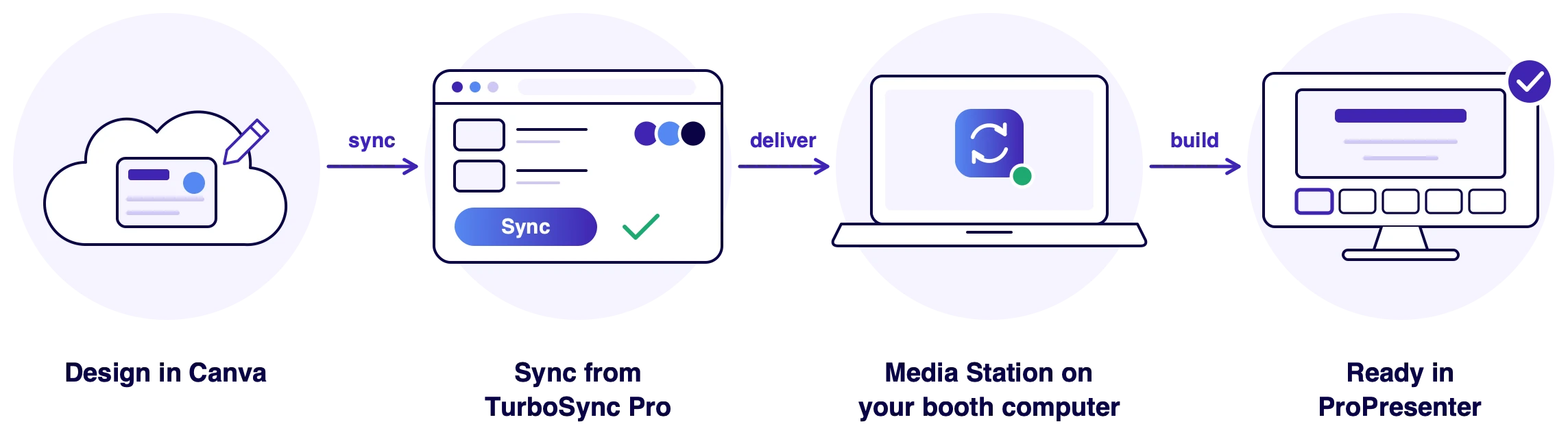
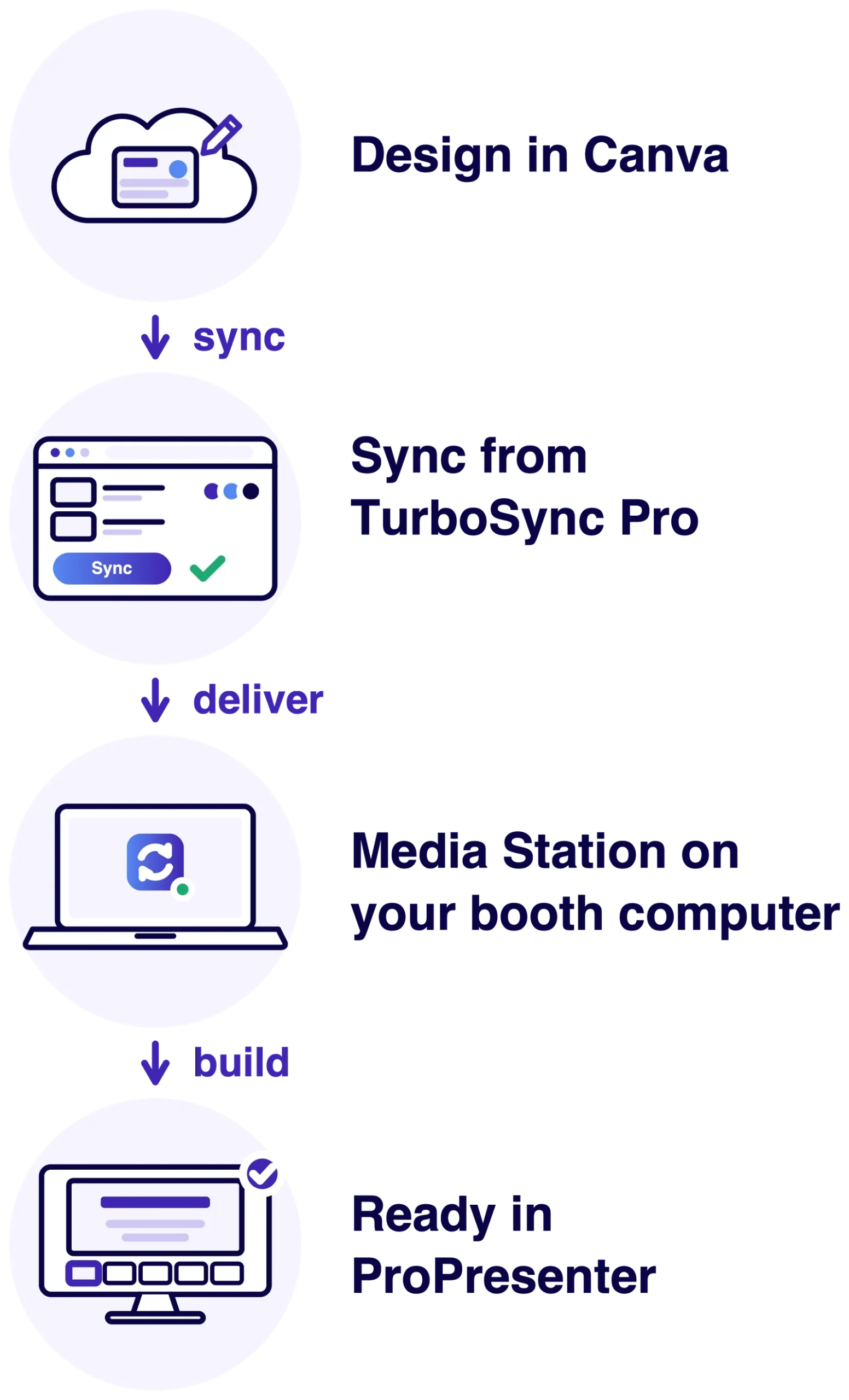
How TurboSync Pro works: design in Canva, sync from TurboSync Pro, the Media Station on your booth computer receives it, and it is ready in ProPresenter. Nothing to download or rebuild.

Built for your whole media team.

Tech directors, media leads and volunteers work from one shared workspace. Everyone connects their own Canva account, and anyone can sync a design to any station your team has linked.

Team workspace

Everyone signs in with their own login and connects their own Canva.

Shared Media Stations

Link each booth computer once. Anyone on the team can send to it.

Sync now or on a schedule

Send a design now. On Turbo and Max, auto-sync can also deliver updates at a time you set.

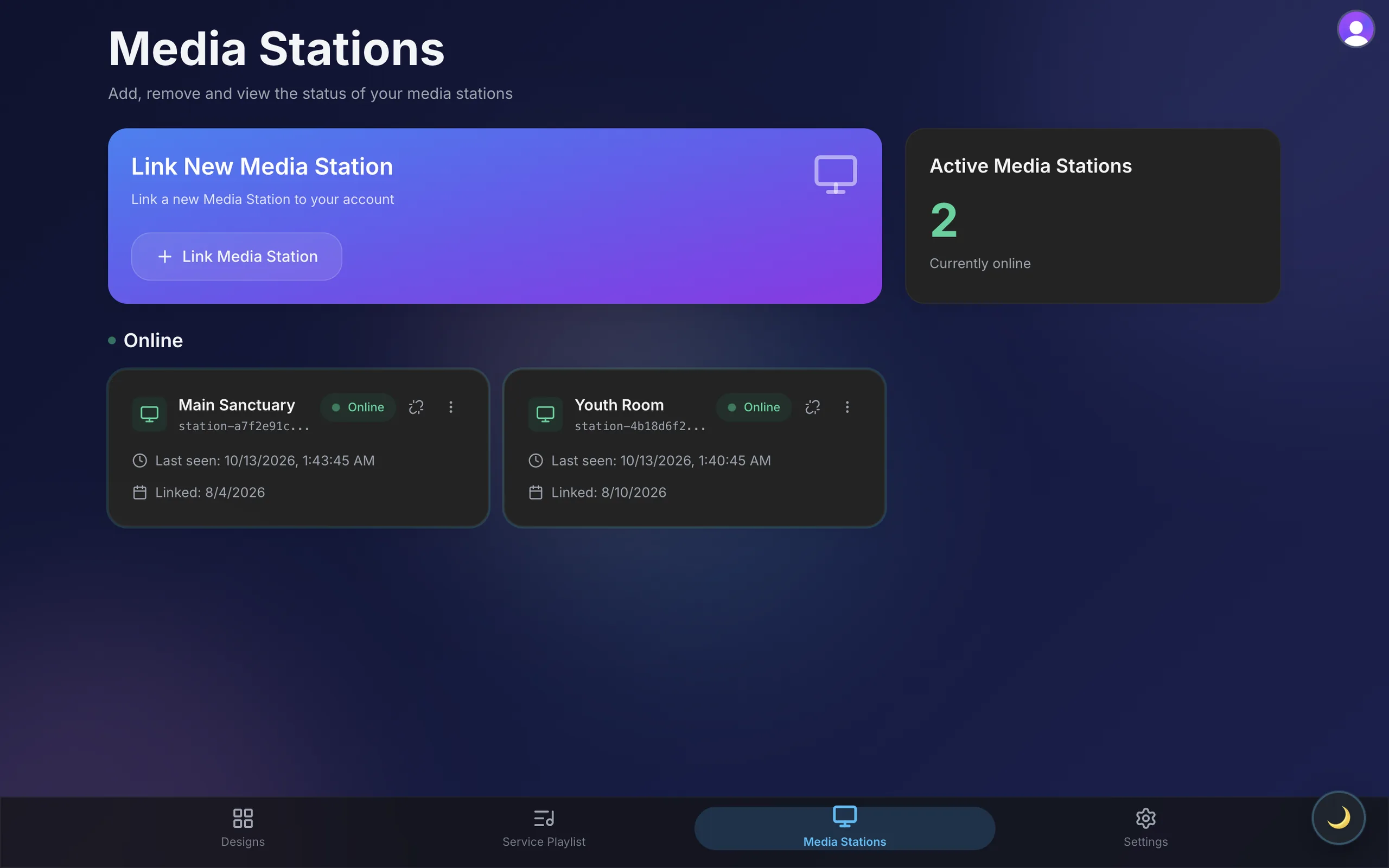
TurboSync Pro Media Stations page listing Main Sanctuary and Youth Room, both online

Plans priced by how many Media Stations you run

$ 49

/month

For one presenting station.

$ 99

/month

For a few rooms or venues.

$ 149

/month

For many rooms or several campuses.

Common questions

You design in Canva the way you already do. When a design is ready, you sync it from TurboSync Pro: the app fetches the design from Canva, sends it to your linked Media Station, and the Media Station builds the ProPresenter presentation on the computer in your booth. Nothing to download, import or rebuild by hand.
Ready to stop rebuilding slides?

Create your account, connect Canva, and link the computer that runs ProPresenter.